
Create a Sales Order
Use Sales Order Entry to confirm a customer's purchase and reserve the information needed for delivery and invoicing.
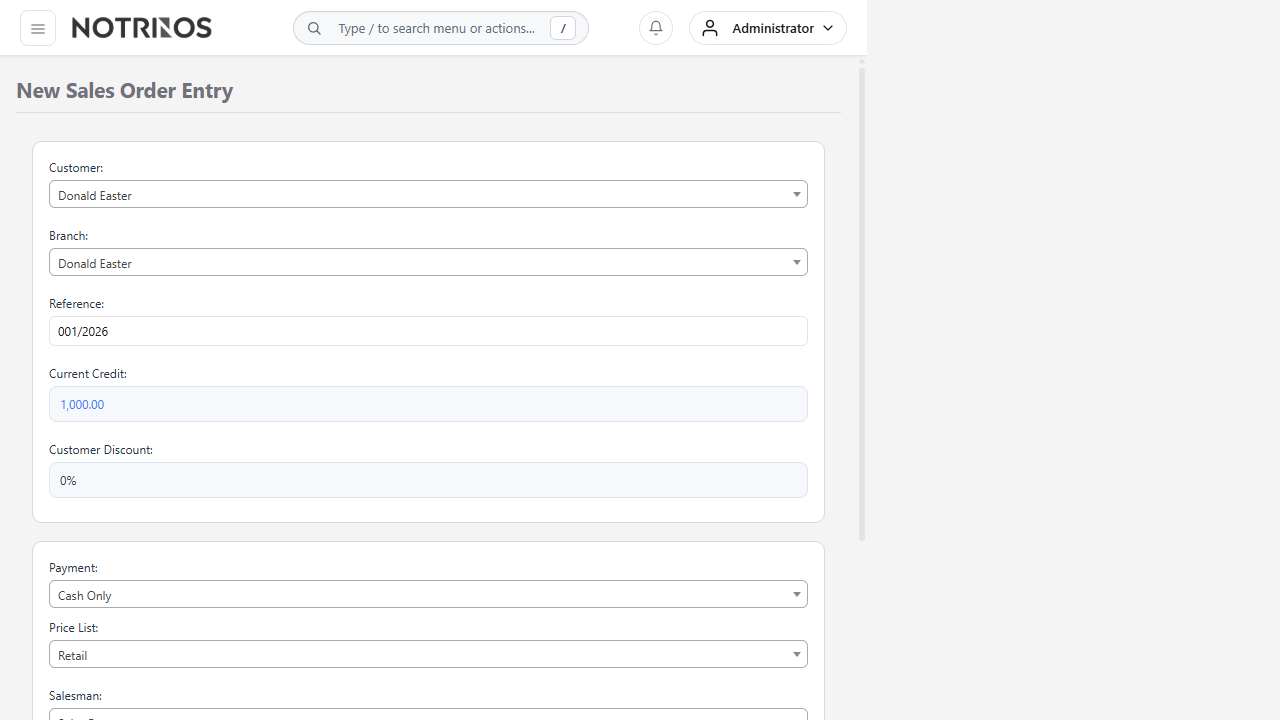
Before you begin
- The customer and branch must be active.
- Confirm item availability, price, tax, credit status, delivery location, and requested date.
- Obtain any required quotation acceptance or approval.
Create the order
- Select the Customer and Branch.
- Confirm the sales type, currency, reference, delivery location, shipping method, and Delivery Date.
- Select an item, enter the Quantity, and review the Unit Price and discount.
- Click Add Item and repeat for each line.
- Review quantities, tax, discounts, freight, and the order total.
- Add a clear customer reference or delivery note when required.
- Click Place Order and note the resulting order number.
After placing the order
- Find it in Outstanding Sales Orders.
- Continue with Deliver Items for a Sales Order when stock is ready.
- For an advance-payment process, follow Invoicing Prepayment Orders.
Check before saving: customer branch, delivery location, date, item, unit, quantity, price, discount, tax, and currency. These values affect stock, revenue, and customer balance later in the workflow.
Common problems
- Item cannot be delivered: check available stock and location.
- Unexpected price: review the sales type, item sales price, currency, and branch defaults.
- Order is blocked: review customer credit status, credit limit, approval, or prepayment requirements.