
General Ledger Module
General Ledger Module
The General Ledger module is the accounting center of NotrinosERP. It receives postings from operational modules and also provides direct finance tools for banking, journals, budgets, accruals, revaluation, reconciliation, and financial reporting.
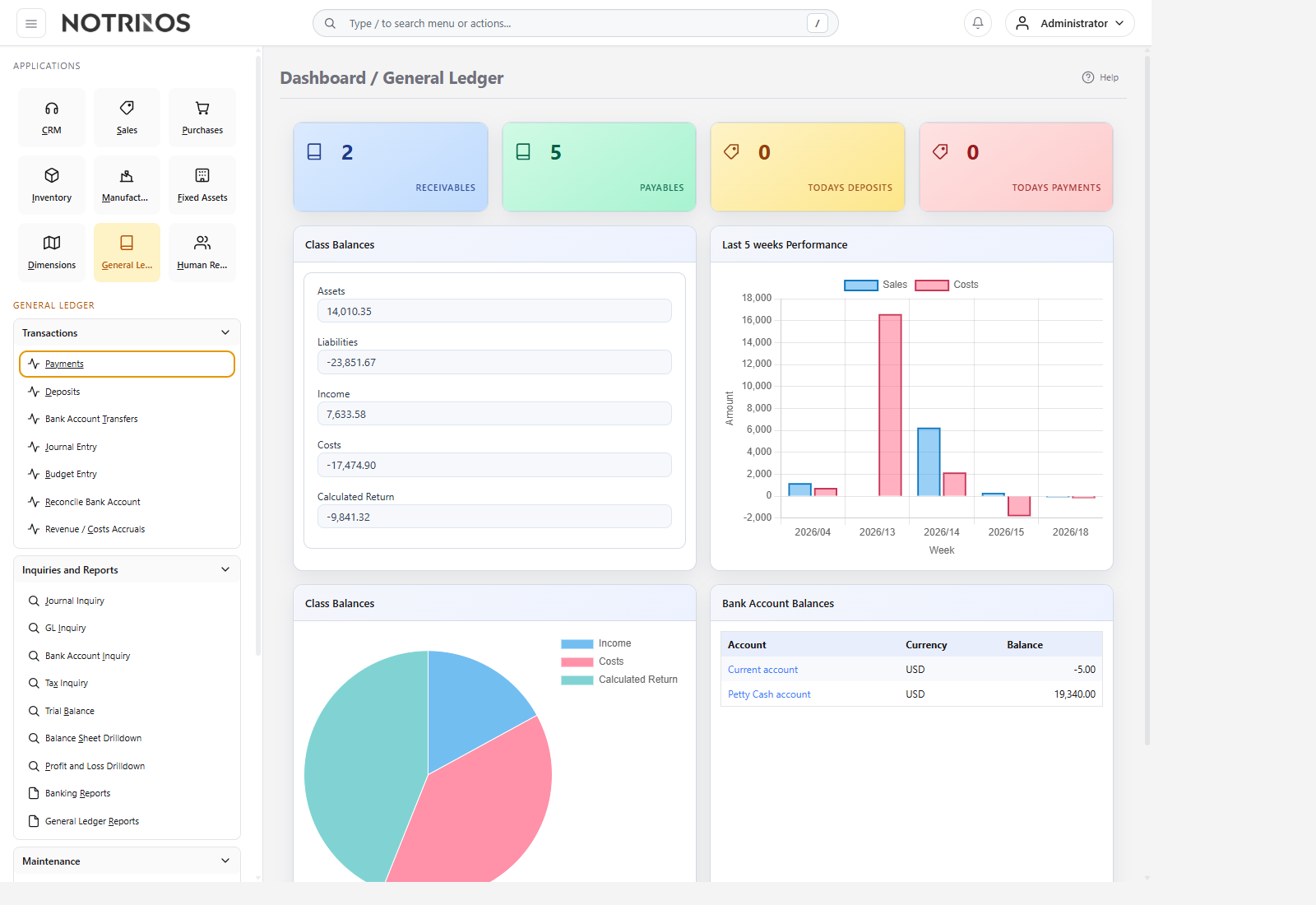
What users do here
- Maintain the chart of accounts, bank accounts, currencies, exchange rates, and quick entries.
- Record direct payments, deposits, bank transfers, journals, budgets, and accruals.
- Reconcile bank accounts and review tax, journal, bank, and account inquiries.
- Produce trial balance, balance sheet, profit and loss, and other financial reports.
Typical workflow
- Let source modules create most routine accounting entries automatically.
- Use direct GL screens for manual journals, treasury activity, budgets, and period-end adjustments.
- Reconcile bank accounts regularly rather than waiting for period close.
- Review inquiries and financial statements to confirm posting quality and period results.
Start with these pages
Connected modules
- Sales, Purchases, Inventory, Fixed Assets, Payroll, and other modules ultimately report into the General Ledger.
- Dimensions, account tags, and currencies help finance turn raw postings into useful management analysis.
- Good GL discipline makes month-end faster because exceptions are found where they start.
First-look advice
- New users should first learn the reporting flow: transaction -> inquiry -> reconciliation -> financial statements.
- Avoid manual journals when a source document exists elsewhere in the ERP; that keeps audit trails cleaner.