
Getting Started
Use this guide to become comfortable with NotrinosERP before entering live transactions. You will learn the page layout, how modules connect, and where to find help while you work.
Before you begin: Ask your administrator which company, fiscal year, role, and default location you should use. Your menus and available actions depend on your permissions.
1. Learn the page layout
- Use the main module navigation to move between Sales, Purchases, Inventory, Manufacturing, General Ledger, Human Resources, CRM, and Setup.
- Use the page title to confirm where you are before entering data.
- Use page filters and search fields to narrow long lists.
- Click Help on a NotrinosERP screen to open the matching context-help page.
2. Understand the connected workflow
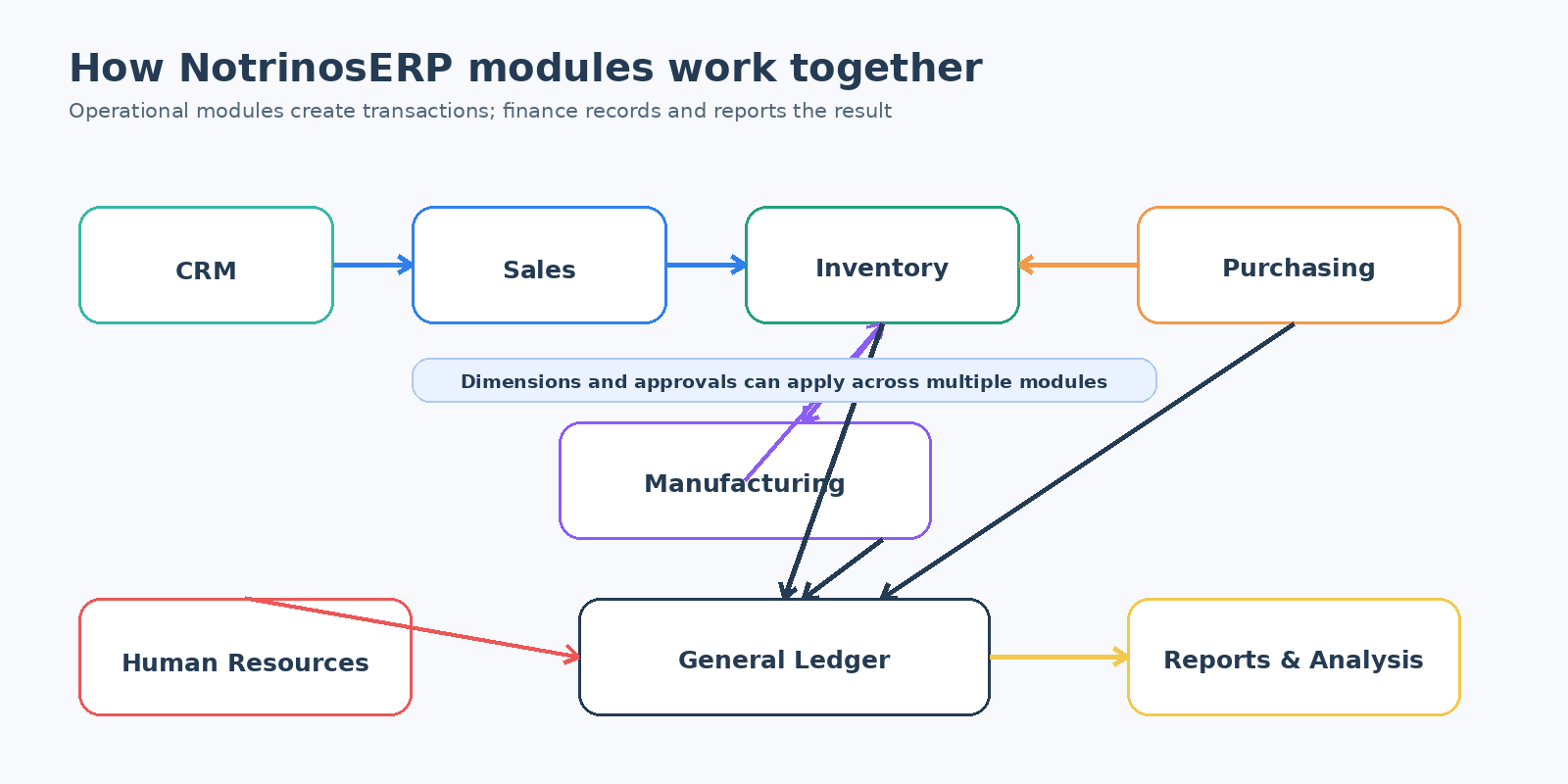
Most work starts in an operational module and finishes in General Ledger reporting. For example, a sales delivery reduces stock, a sales invoice creates a customer balance, and a customer payment settles that balance.
3. Practice safely
- Open Dashboard and review the shortcuts and indicators available to your role.
- Open an inquiry page before an entry page. Inquiries help you understand existing records without changing them.
- Practice in a test company when available.
- Confirm dates, references, currency, location, and totals before processing a transaction.
- Use the resulting view or inquiry page to verify that the transaction was created correctly.
Important: Processing buttons may create accounting entries, change stock, or start an approval workflow. Read the confirmation message and verify the result before leaving the page.