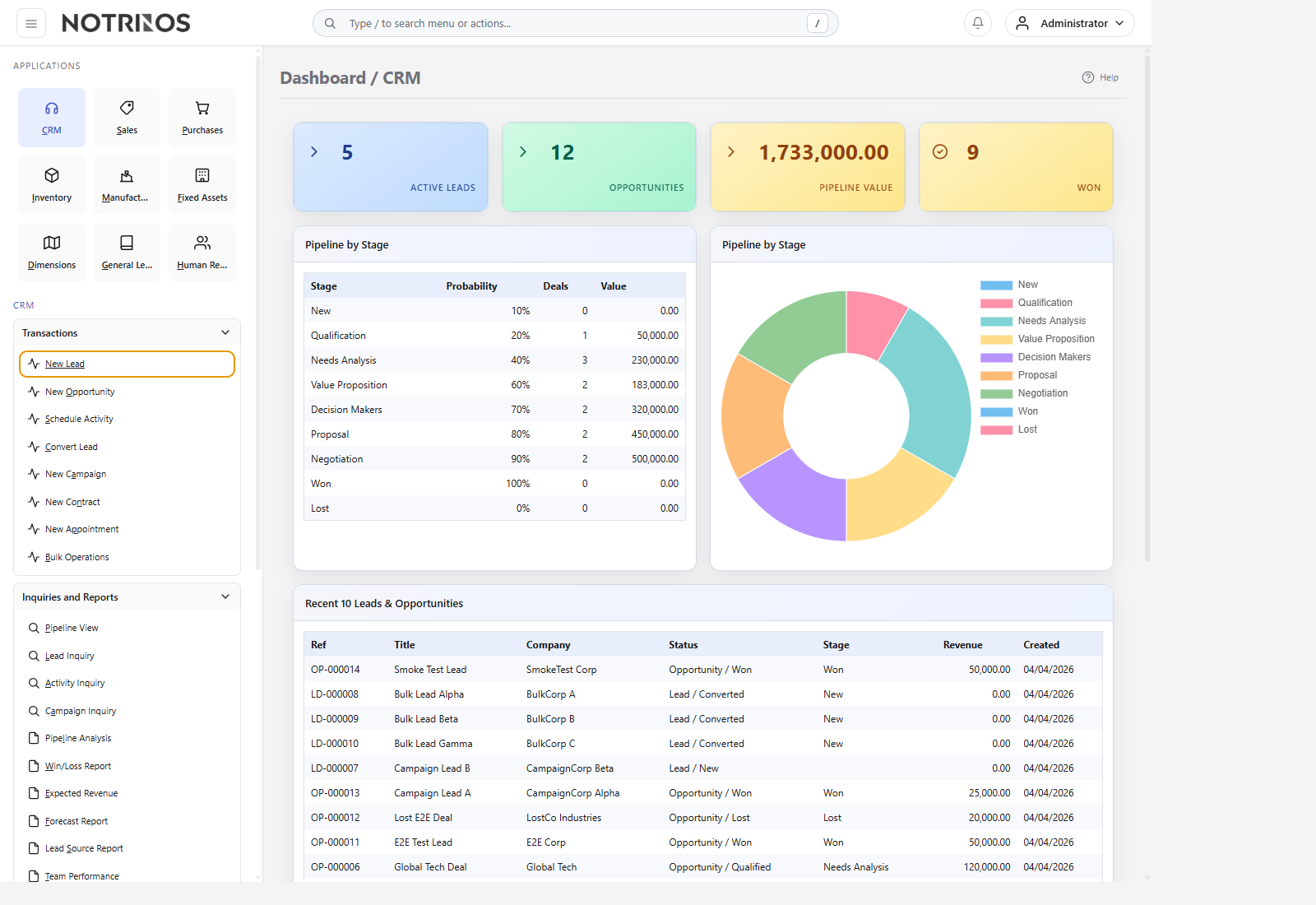
CRM — Customer Relationship Management
CRM Module
The CRM module provides comprehensive customer relationship management capabilities for tracking leads, managing the sales pipeline, scheduling activities, running campaigns, and generating sales analytics. It can be enabled or disabled per company in Company Setup → Optional Modules → CRM.
Key Concepts
- Lead — An initial contact or prospect that may become a customer. Leads have a status lifecycle: New → Contacted → Qualified → Converted.
- Opportunity — A qualified lead that has been promoted into the sales pipeline. Opportunities are tracked through configurable pipeline stages with probability percentages and expected revenue.
- Activity — A scheduled action (call, email, meeting, to-do) linked to a lead or customer. Activities support chaining — completing one activity can automatically suggest or create the next.
- Campaign — A marketing initiative that tracks enrolled leads and measures conversion rates and ROI.
- Contract — A formal agreement with a customer, tracked with start/end dates and renewal alerts.
- Appointment — A scheduled meeting with a lead or customer, including duration, location, and video link.
The CRM uses a unified lead/opportunity model — leads and opportunities live in the same table, distinguished by an is_opportunity flag. This allows seamless conversion from lead → opportunity → customer.
Module Menu Structure
Transactions
- New Lead — Create a new lead
- New Opportunity — Create a new opportunity
- Schedule Activity — Schedule a CRM activity
- Convert Lead — Convert lead to opportunity or customer
- New Campaign — Create a marketing campaign
- New Contract — Create a customer contract
- New Appointment — Schedule an appointment
- Bulk Operations — Batch assign, tag, or update leads
Inquiries and Reports
- Pipeline View — Visual Kanban-style pipeline board
- Lead Inquiry — Search and filter all leads/opportunities
- Activity Inquiry — View and manage scheduled activities
- Campaign Inquiry — Campaign performance dashboard
- Pipeline Analysis — Pipeline value, conversion funnel, and velocity metrics
- Win/Loss Report — Won vs lost deals by source, reason, and trend
- Expected Revenue — Revenue forecast by month, team, and salesperson
- Forecast Report — 3-month forecast with best case, weighted, and conservative scenarios
- Lead Source Report — Lead quality and conversion by source
- Team Performance — Team and individual salesperson metrics
Maintenance
- Manage Leads — Full lead/opportunity list with filtering
- Manage Opportunities — Pipeline view with revenue totals
- Manage Campaigns — Campaign lifecycle management
- Manage Contracts — Contract list with expiry monitoring
- Manage Appointments — Appointment list and scheduling
- Sales Teams — Team setup and member management
- Lead Sources — Configure lead origin categories
- Pipeline Stages — Configure opportunity stages and probabilities
- Lost Reasons — Configure why deals are lost
- Activity Types — Configure activity categories with chaining
- Activity Plans — Pre-configured activity sequences
- Appointment Types — Configure appointment presets
- Email Templates — Reusable email templates for campaigns
- Tags — Color-coded tags for lead categorization
- CRM Settings — Global module configuration
Typical Sales Workflow
- Create a Lead (manually or from a marketing campaign)
- Assign lead to a Sales Team and salesperson
- Log Activities (calls, emails, meetings) and Communications
- Qualify the lead — promote to Opportunity when ready
- Track the opportunity through Pipeline Stages (New → Qualification → Proposal → Negotiation)
- Mark as Won → automatically convert to a Customer in the accounting system
- Or Mark as Lost with a reason for analytics
Integration with Other Modules
- Customers — Converting a lead/opportunity to a customer creates a Debtor Master record, branch, and optionally a contact person
- Communication History — When a lead converts, all communication logs can be carried forward to the new customer record
- Dashboard — CRM widgets show active leads, opportunities, pipeline value, and won deals on the main dashboard
Security Permissions
| Permission | Access |
| SA_CRM_LEAD | Create and manage leads |
| SA_CRM_OPPORTUNITY | Create and manage opportunities |
| SA_CRM_ACTIVITY | Schedule and complete activities |
| SA_CRM_CAMPAIGN | Create and manage campaigns |
| SA_CRM_CONTRACT | Create and manage contracts |
| SA_CRM_APPOINTMENT | Schedule and manage appointments |
| SA_CRM_PIPELINE | View pipeline and inquiry screens |
| SA_CRM_REPORT | Access CRM reports |
| SA_CRM_SETTINGS | Configure CRM module settings |
| SA_CRM_TEAM | Manage sales teams |