
Dashboard
The dashboard is the day-to-day landing view of NotrinosERP. It is not a single static home page; each application shows its own dashboard so users can see KPIs, pending work, shortcuts, and recent operational signals for the module they are in.
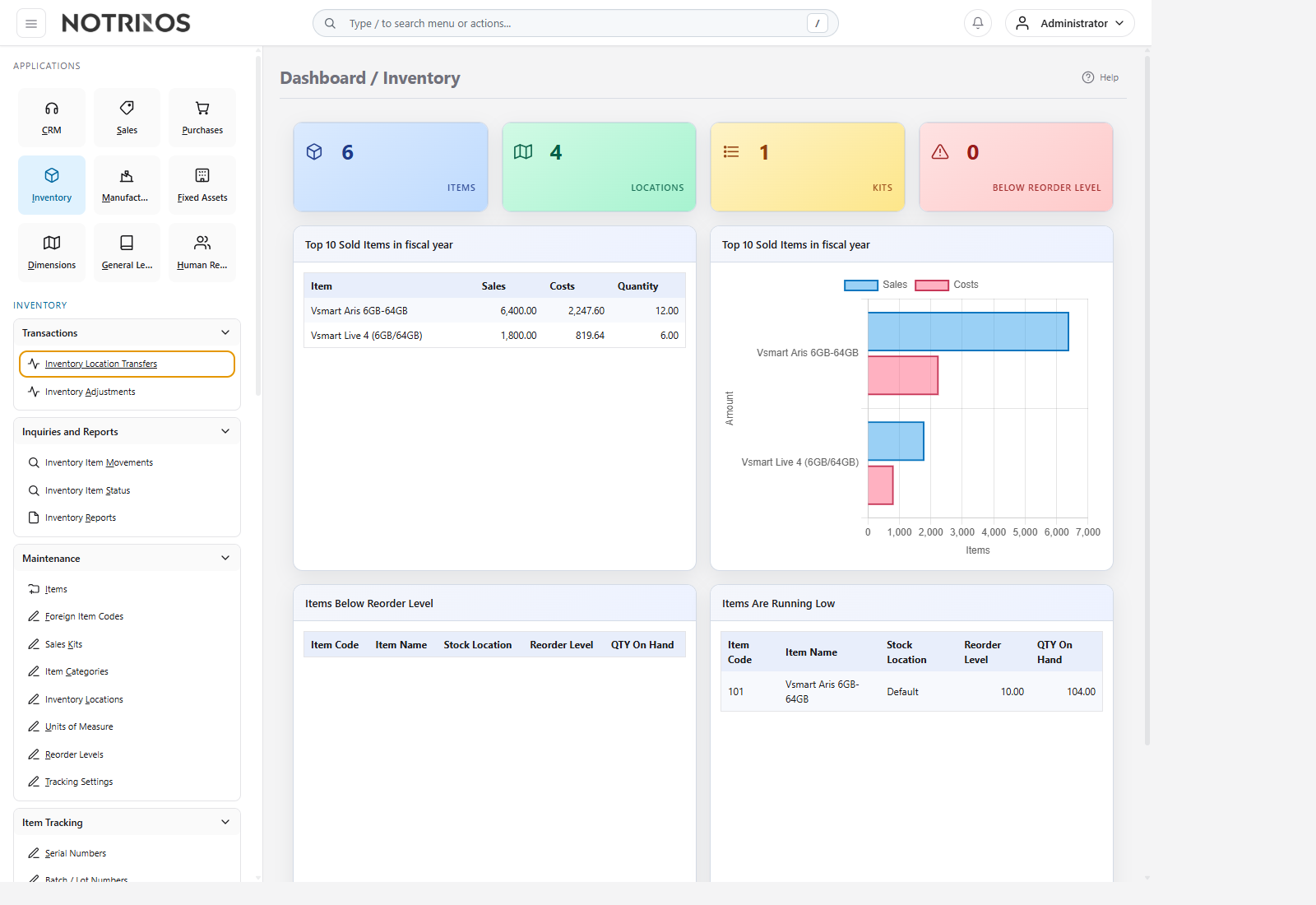
What users see
- The application switcher on the left for moving between CRM, Sales, Purchases, Inventory, Manufacturing, Fixed Assets, Dimensions, General Ledger, Human Resources, and Setup.
- Grouped navigation under Transactions, Inquiries and Reports, Maintenance, and other module-specific sections.
- A central dashboard area showing counts, alerts, quick actions, or summary cards for the selected application.
- Header tools for search, notifications, and account actions.
How to use it
- Open the dashboard for the module you are working in.
- Scan summary widgets and counters first to spot urgent work, exceptions, or approval queues.
- Click into the underlying transaction or inquiry page when a count or widget requires action.
- Use the left navigation to move from summary into transactions, reports, or maintenance pages.
Common patterns across dashboards
- Pending operational work such as open orders, approvals, or stock actions.
- Shortcuts to the most common pages in the current module.
- Summary metrics that help users decide what to do next before entering forms.
- Role-based visibility, so different users may see different cards and indicators.
Start here next
First-look advice
- Treat the dashboard as a starting point, not the full workflow.
- If a card looks wrong, drill into the source transaction or inquiry page before assuming the number itself is the problem.