
Customers
Use Customers to create and maintain the customer records used in quotations, sales orders, deliveries, invoices, payments, and receivables reporting.
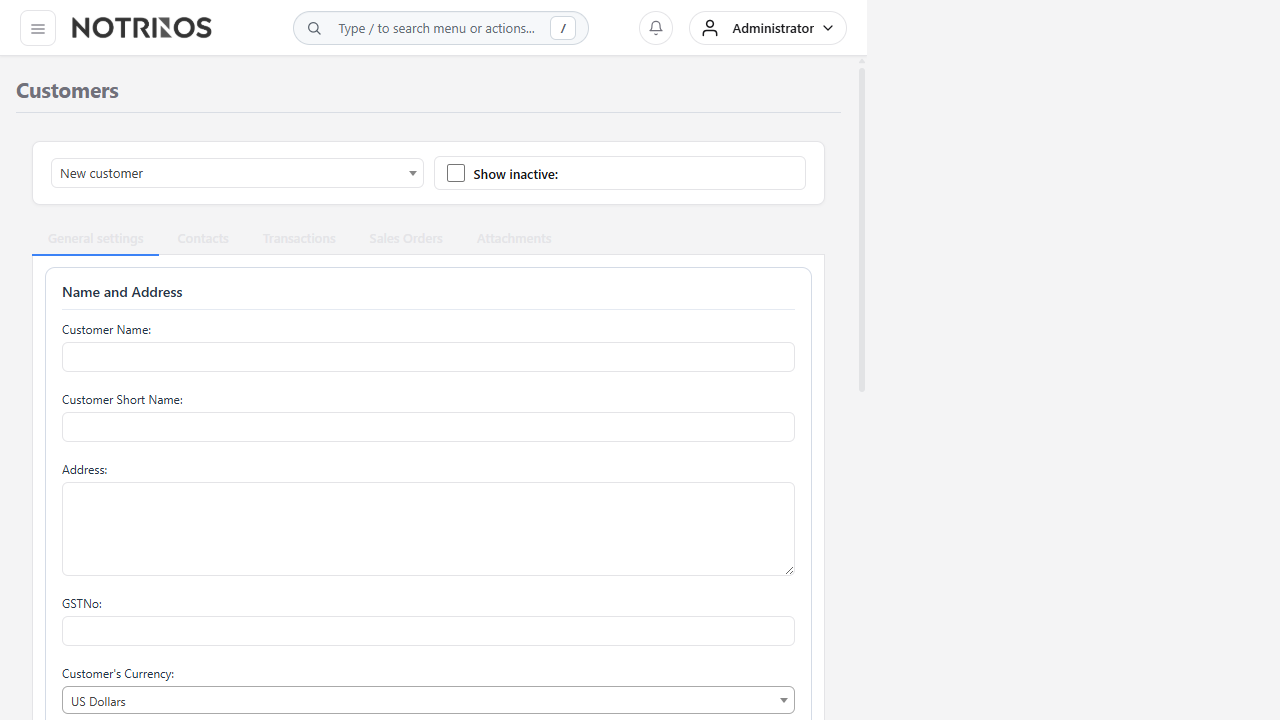
Before you begin
- Set up currencies, sales types, payment terms, tax groups, credit statuses, and receivable accounts.
- Decide how customer names and short names will be standardized.
- Collect the legal name, tax details, billing contact, currency, and agreed credit terms.
Create a customer
- Select Add New and enter the legal or trading Customer Name.
- Enter a recognizable Short Name for searches and reports.
- Complete the address, tax ID, currency, sales type, and payment terms.
- Set the credit status, credit limit, and default discounts according to approved policy.
- Save the customer.
- Create at least one Customer Branch for delivery, tax, and sales defaults.
- Add contacts for billing, purchasing, delivery, or other responsibilities as needed.
Important fields
| Field | What it controls |
|---|---|
| Customer Name / Short Name | How the customer appears in transactions, searches, and reports |
| Currency | Default currency for customer transactions |
| Sales Type | Default pricing group used when items are added |
| Payment Terms | Default invoice due-date calculation |
| Credit Status / Credit Limit | Whether new credit transactions are permitted and how exposure is controlled |
| Discount % | Default line discount; users should change it only within policy |
Verify the setup
- The customer can be found by name or short name.
- At least one active branch exists.
- Tax, price, currency, payment terms, and General Ledger defaults are correct.
- The customer credit policy matches the approved agreement.
Tip: Use a separate branch for each delivery location or tax treatment rather than creating duplicate customer records.