
NotrinosERP Help Center
Get help with NotrinosERP
Find clear instructions for daily tasks, business workflows, setup, reporting, and administration.
Start with what you need to do
Learn the basics
Understand navigation, dashboards, safe practice, and context help.
Complete a workflow
Follow quote-to-cash, purchase-to-payment, payroll, inventory, approvals, or month-end.
Find a screen
Browse the full help index when you know the page or function name.
How the system fits together
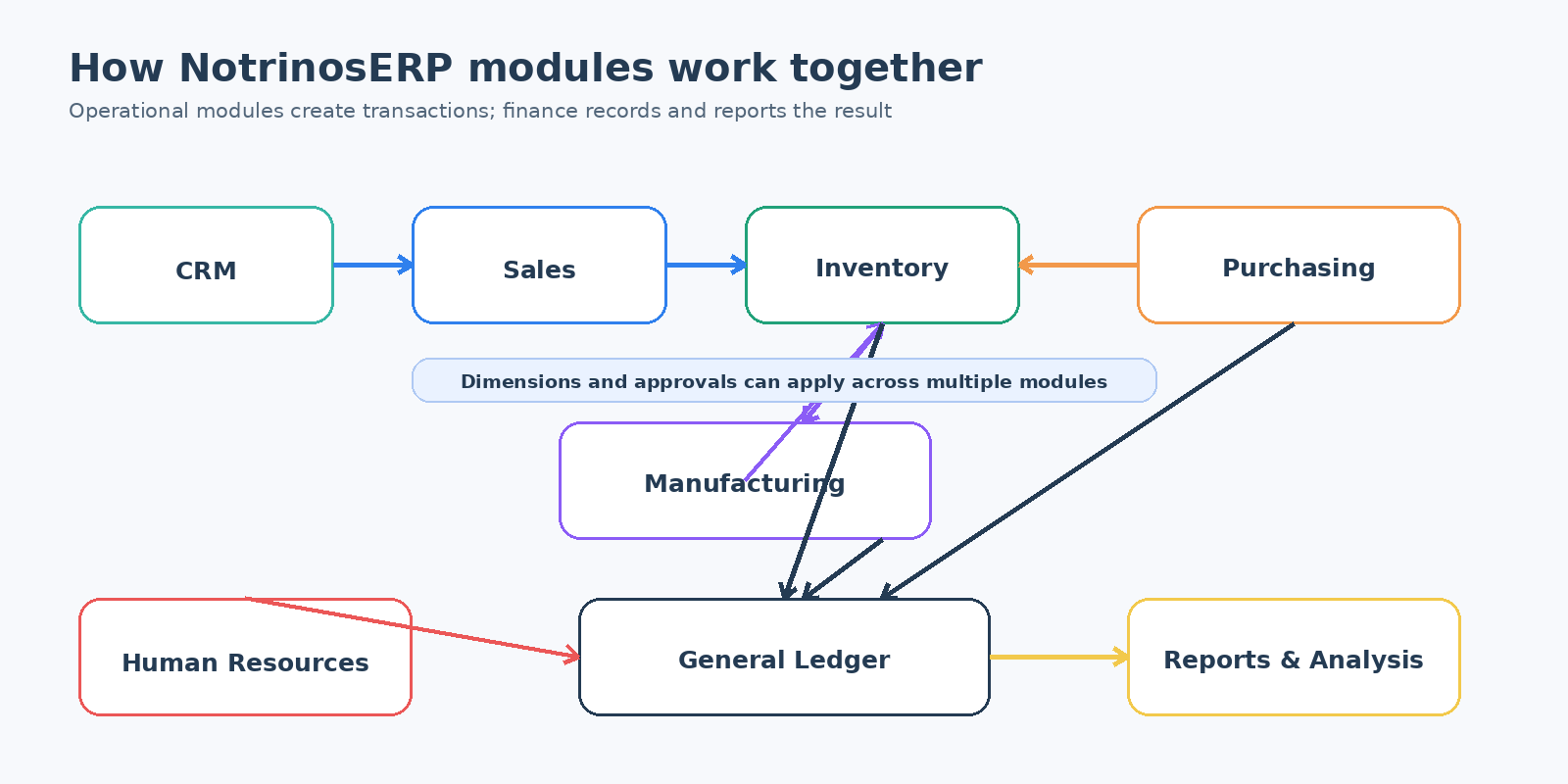
NotrinosERP connects operational activity with financial reporting. CRM and Sales capture demand; Purchasing, Inventory, and Manufacturing fulfill it; Human Resources manages people and payroll; General Ledger records the financial result; Dimensions, Approvals, Dashboards, and Reports support control and analysis.
Common workflows
Quote to cash
Customer → quotation → order → delivery → invoice → payment → allocation
Purchase to payment
Supplier → purchase order → receipt → invoice → payment → allocation
Inventory operations
Receive, transfer, adjust, deliver, issue, and produce stock.
Payroll cycle
Prepare source data, process, review, approve, and release payroll.
Approval workflow
Submit, review, approve or reject, delegate, escalate, and post.
Month-end accounting
Reconcile, review, adjust, report, and close the period.
Browse by module
| Module | Use it for |
|---|---|
| CRM | Leads, opportunities, campaigns, appointments, and commercial follow-up |
| Sales | Quotations, orders, deliveries, invoices, receipts, and customer balances |
| Purchases | Suppliers, purchase orders, receipts, invoices, and payments |
| Inventory | Items, warehouses, stock movement, costing, and replenishment |
| Manufacturing | Bills of material, work orders, component issues, and production |
| Fixed Assets | Asset masters, acquisition, depreciation, movement, sale, and disposal |
| General Ledger | Banking, journals, budgets, reconciliation, closing, and statements |
| Human Resources | Employees, attendance, leave, overtime, payroll, and HR reporting |
| Setup | Company, users, access, tax, references, extensions, and system configuration |
Working inside NotrinosERP? Click Help on the current application screen to open the matching context-help page.